The short version
A chatbot is a conversational interface that answers questions, often from a knowledge base. An AI agent is given a goal and a set of tools, and it decides which steps to take — searching, reading, updating records, sending messages — to reach that goal.
Traditional chatbots
Early chatbots followed decision trees: pick an option, get a scripted answer. Modern AI chatbots understand free-form questions and answer from your content. They're ideal for FAQs, website enquiries and first-line support, and they carry relatively low risk because they mostly provide information.
AI agents
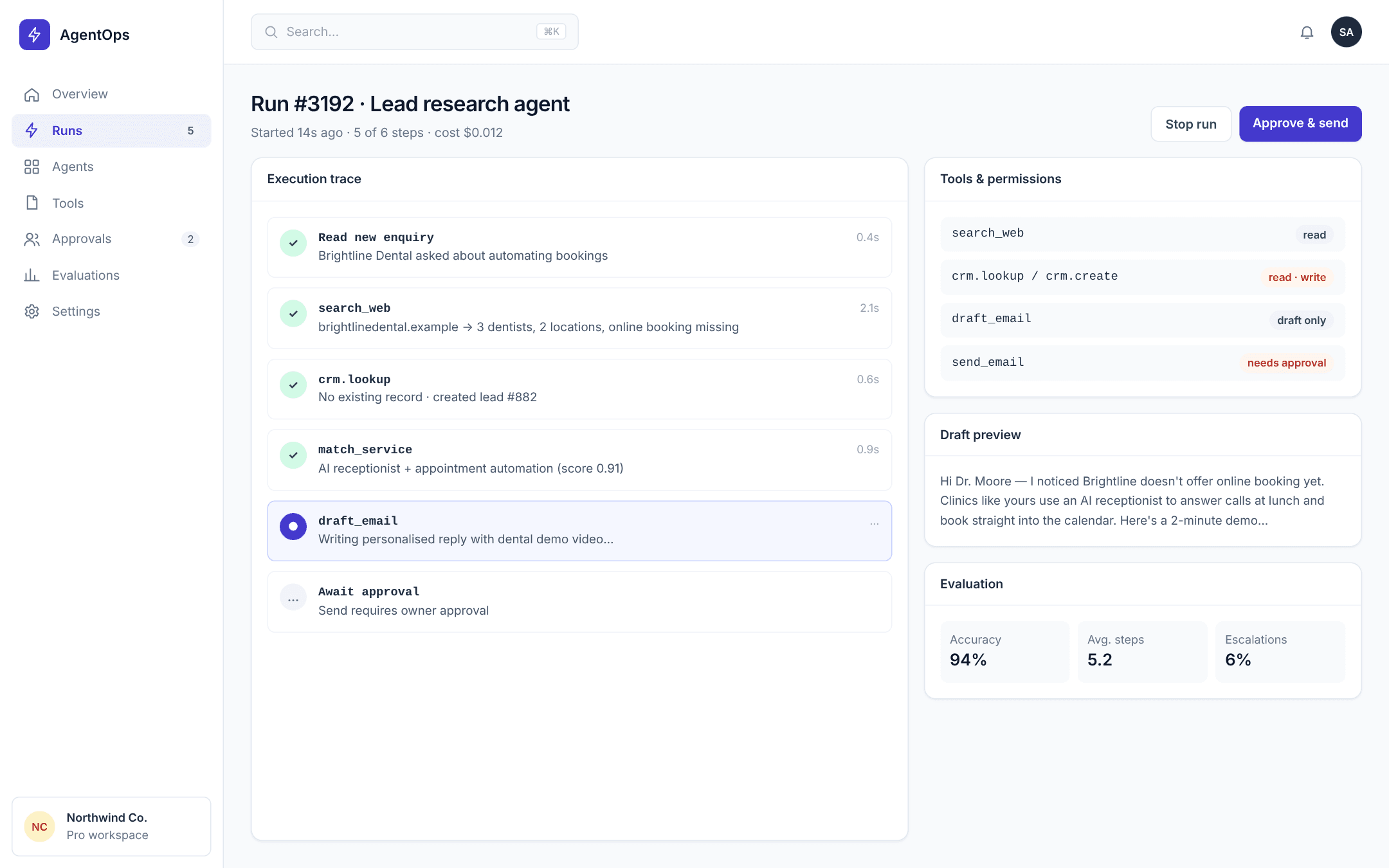
Agents can act. A sales agent might research a company, draft an email and log it in the CRM. A support agent might look up an order, check a policy and propose a refund. Because agents change things in real systems, they need permissions, approvals and logging.
How to choose
- If the job is answering questions, start with a chatbot.
- If the job involves several steps across tools, consider an agent.
- If mistakes are costly, design an agent that prepares actions for human approval.
- If the process is fully predictable, a rule-based workflow may beat both.
Guardrails matter more than intelligence
The success of an agent depends less on how clever the model is and more on clear tool boundaries, good test scenarios and visibility into what it did. Start narrow, measure and expand.
A side-by-side comparison
- Purpose — chatbot: answer questions; agent: complete a goal.
- Tools — chatbot: usually a knowledge base; agent: CRM, email, documents, APIs.
- Risk — chatbot: wrong answer; agent: wrong action in a real system.
- Oversight — chatbot: review conversations; agent: approvals and audit logs.
- Best for — chatbot: FAQs and enquiries; agent: multi-step back-office work.
Real-world examples
A clinic might use a chatbot on its website to answer questions about services and opening hours, while an agent prepares the next day's schedule by checking bookings, confirming insurance details and flagging gaps for staff.
A sales team might use a chatbot to qualify website visitors, and an agent to research each qualified lead, draft a tailored first email and log everything in the CRM for a salesperson to approve.
Designing a safe agent
- Give the agent the narrowest set of tools that can do the job.
- Separate read actions from write actions, and require approval for writes at first.
- Log the agent's reasoning summary and every tool call.
- Test with a library of real scenarios, including tricky edge cases.
- Define what the agent should do when it is uncertain — usually ask a person.
Frequently asked questions
Can a chatbot become an agent later?
Yes. Many projects start with a chatbot and add carefully scoped actions — such as booking or updating a record — once the basics work well.
Are AI agents reliable?
For well-defined tasks with good tools and testing, they can be very reliable. Open-ended tasks remain harder, which is why scope and approvals matter.
Which is cheaper?
Chatbots are usually cheaper to build and run. Agents cost more but can save significantly more time on the right workflows.